New Features
-
New
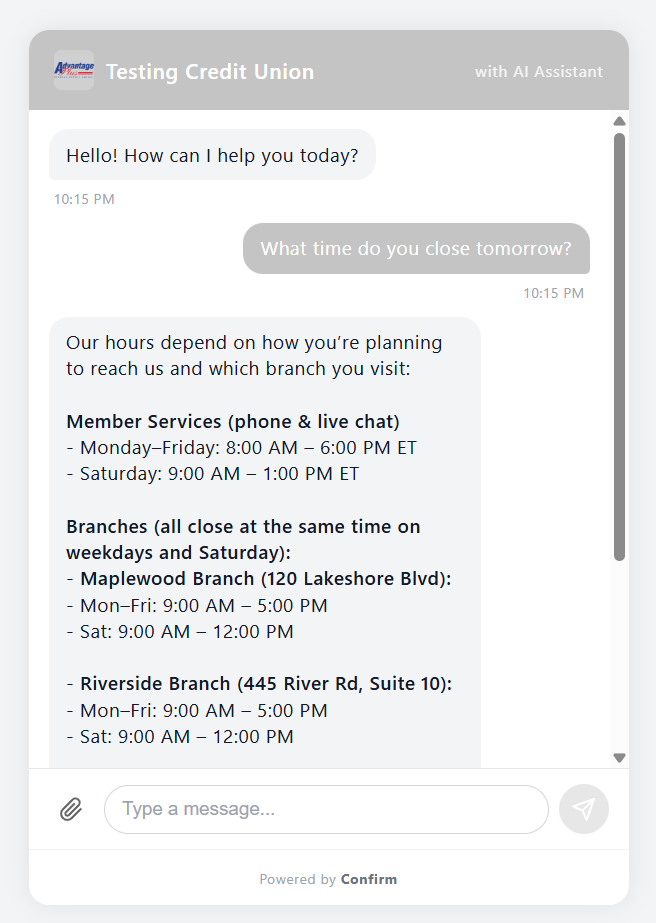
Live Web Chat — Members can now chat with your team in real time directly from your website. You can embed a chat widget on any page, or share a hosted chat link. Members see whether agents are available before starting, and can leave a message if no one is online. Agents receive chats instantly alongside their other interactions.
-
New
SMS Messaging — Send and receive SMS and MMS messages with members directly from the agent desktop. Two-way threaded conversations keep the full history in one place. You can also create message templates with dynamic fields and run bulk SMS campaigns for outreach. Supports both Bandwidth and Twilio — configure your preferred provider per institution.
-
New
AI Chatbot — An AI-powered chatbot can now handle initial member conversations on web chat, answering common questions using your institution's own knowledge base documents. When the bot can't resolve a question or the member asks for a person, it hands off seamlessly to a live agent with full conversation context preserved.
-
New
AI Agent Assist — While agents are in a live conversation, AI now suggests relevant responses and surfaces knowledge base articles in real time. Agents can accept, edit, or dismiss suggestions. A built-in feedback loop lets agents rate suggestions so the system improves over time.
-
New
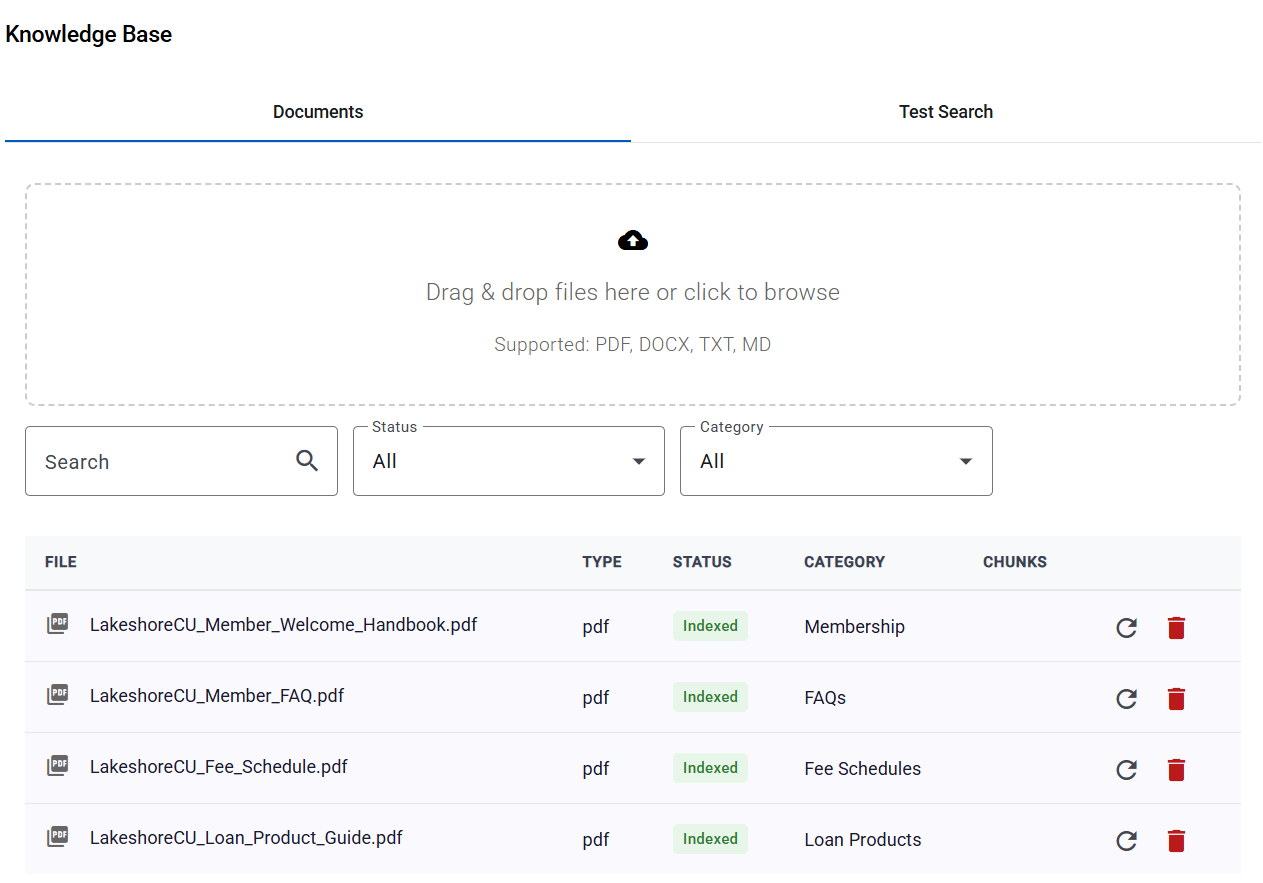
Knowledge Base — Upload your institution's documents (PDFs, FAQs, policy guides) and they're automatically processed and indexed for AI-powered search. Both the chatbot and agent assist use this knowledge base to provide accurate, grounded answers. Manage documents from the new Knowledge Base tab in Settings.
-
New
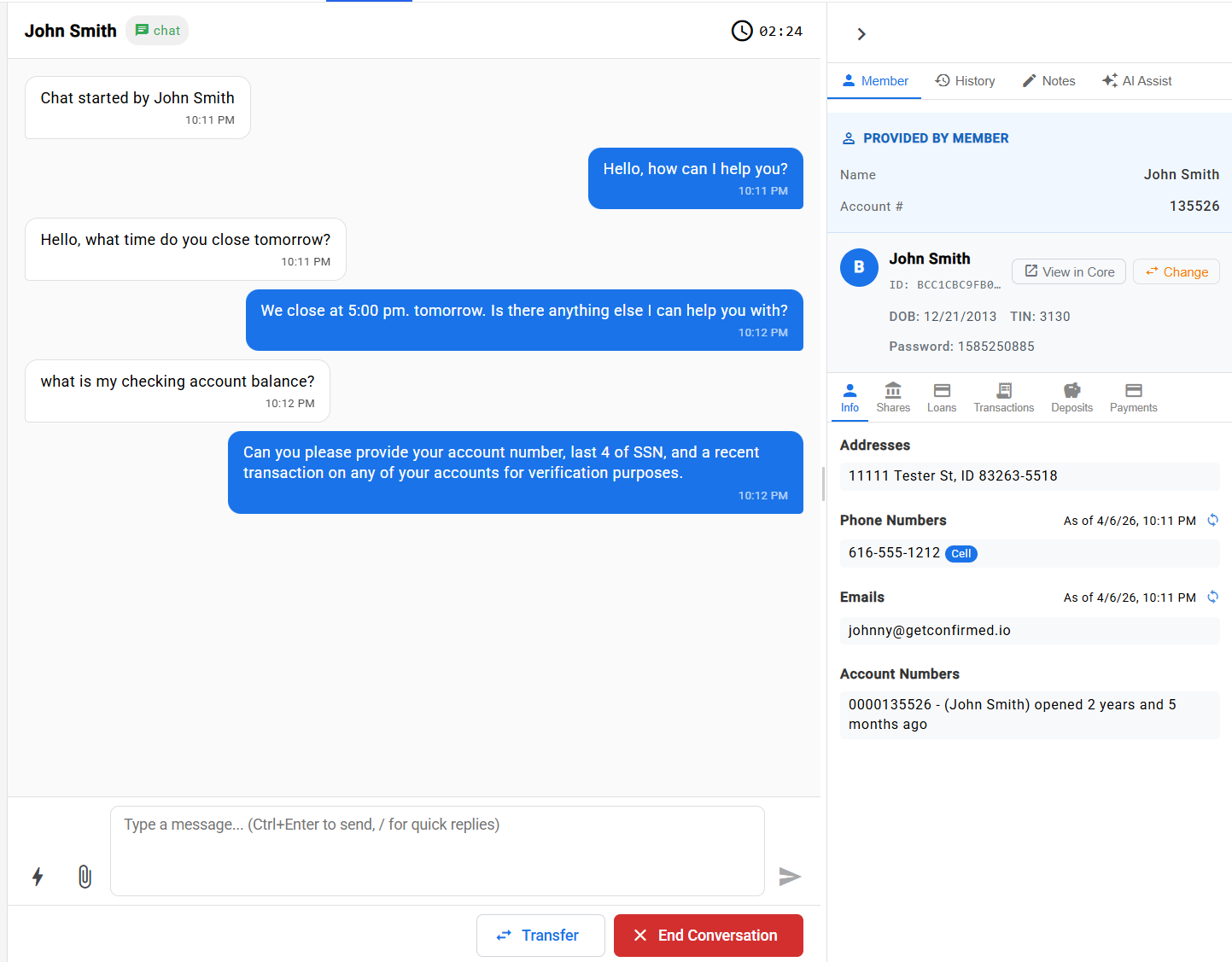
Unified Agent Desktop — A single workspace where agents handle voice calls, chats, and SMS conversations side by side. Agents can manage multiple interactions at once with configurable capacity limits. Quick-reply templates, interaction notes, disposition codes, and one-click transfers are all built in.
-
New
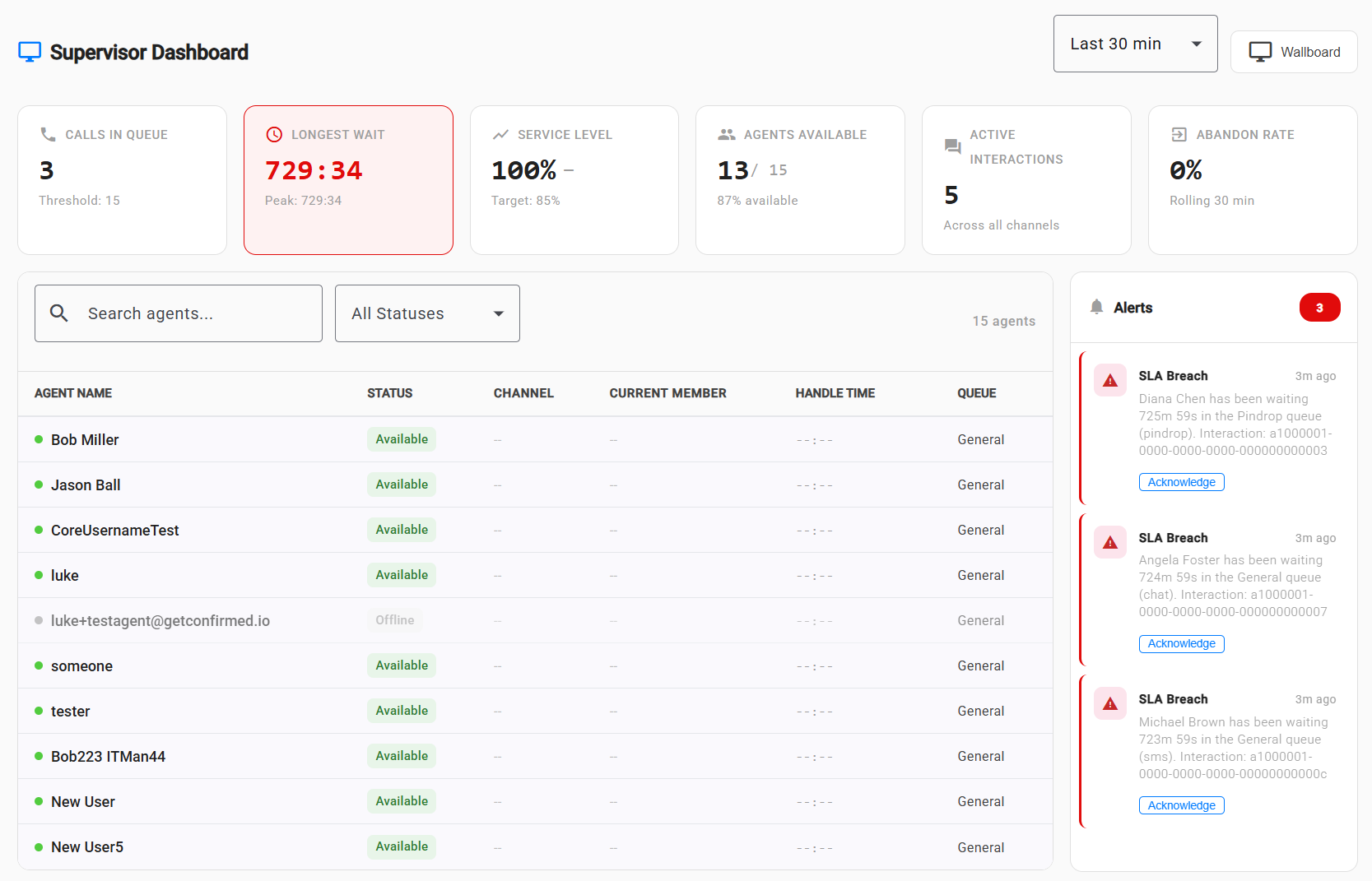
Supervisor Dashboard — Supervisors get a real-time view of queue health, agent status, and key performance metrics (average speed to answer, handle time, SLA compliance). Threshold-based alerts notify supervisors when queues are backing up or SLA targets are at risk. Supervisors can also message agents directly from the dashboard.
-
New
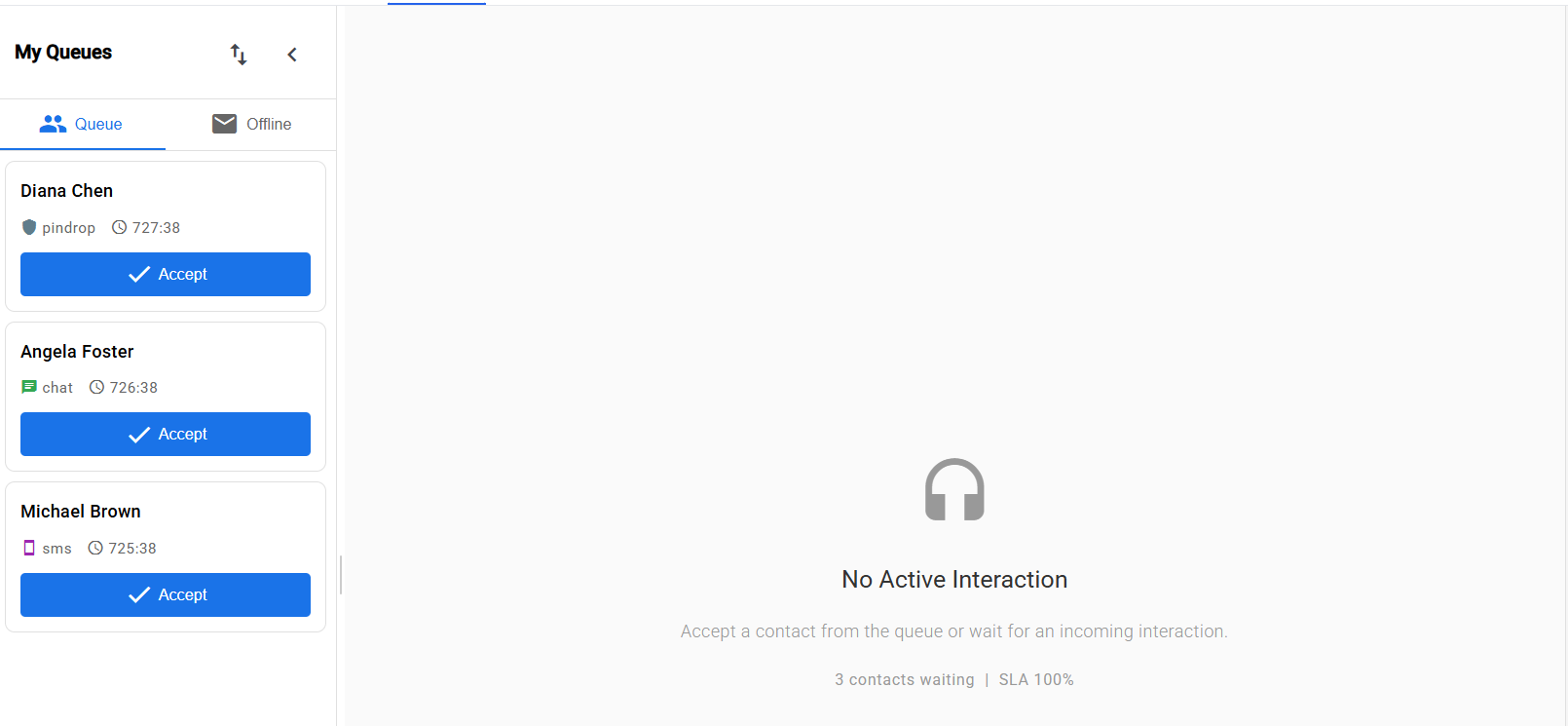
Omnichannel Queue & Routing — A unified queue system routes incoming voice calls, chats, and SMS to the right agent based on skills and availability. Agents can be assigned to multiple queues with different skill requirements. Interactions can be transferred or escalated across channels — for example, a chat can be elevated to a voice call when needed.
-
New
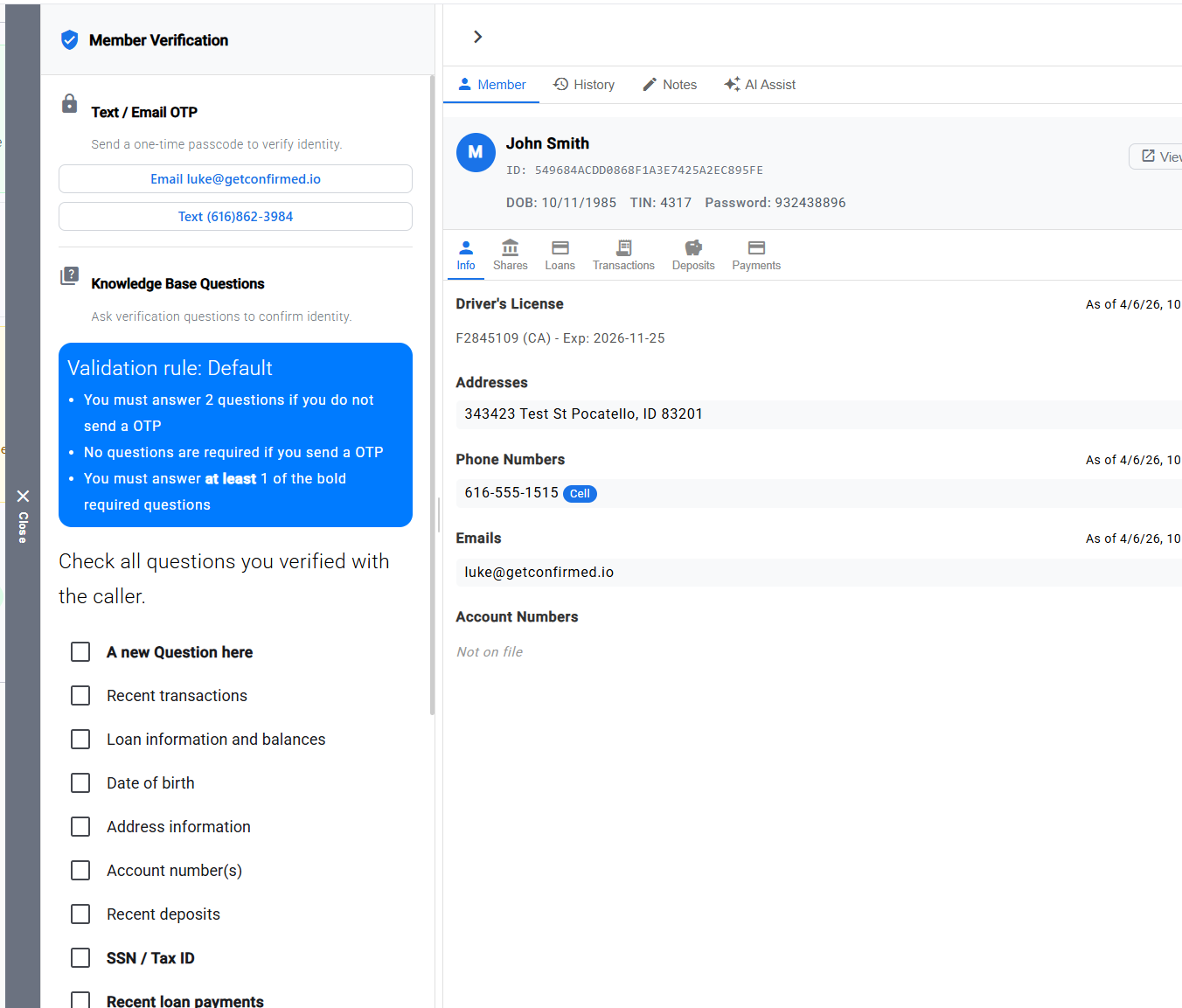
Member Verification During Interactions — Agents can now verify member identity during any interaction type using knowledge-based authentication (security questions), SMS one-time passcodes, or email one-time passcodes. Member account details from your core banking system are displayed alongside the conversation.
-
New
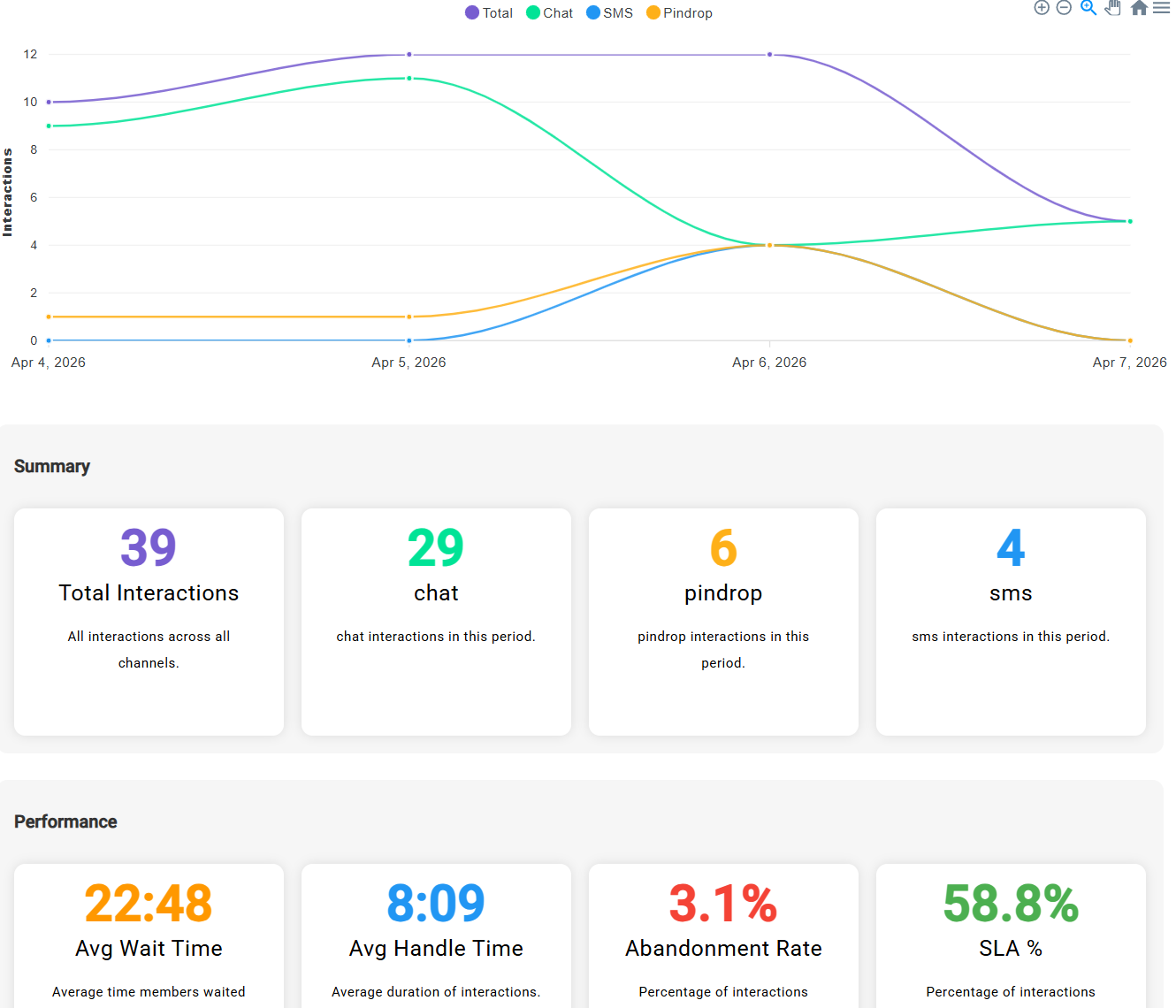
Reporting & Analytics — New reporting dashboards show agent performance, call volume and duration trends, chat analytics, interaction breakdowns by channel, and response time metrics. Filter by date range to track trends over time.
-
New
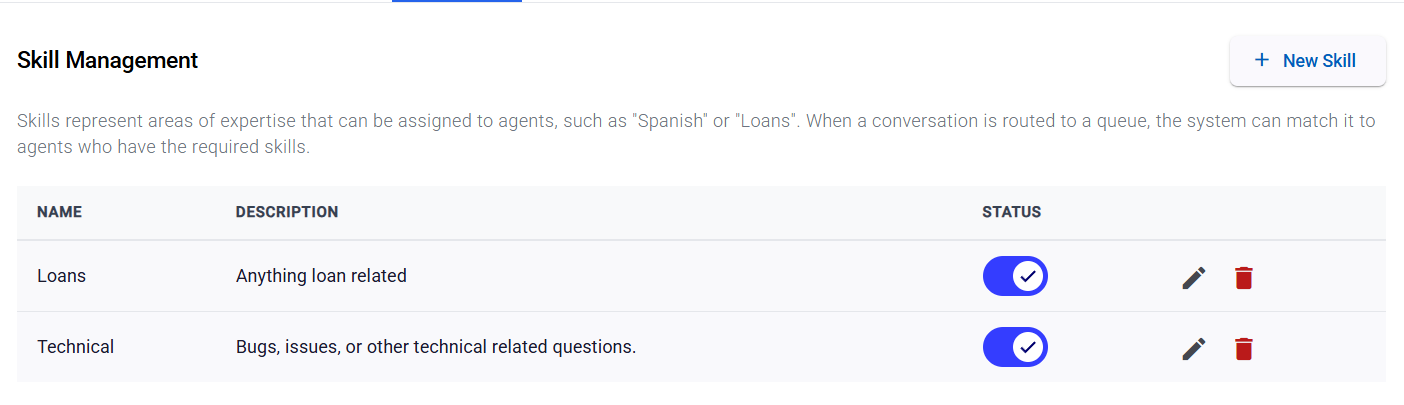
Skills Management — Define competencies (like "Loans", "Fraud", or "New Accounts") and assign them to agents with proficiency levels. Queues can require specific skills, and the routing engine automatically matches incoming interactions to the best-qualified available agent.
-
New
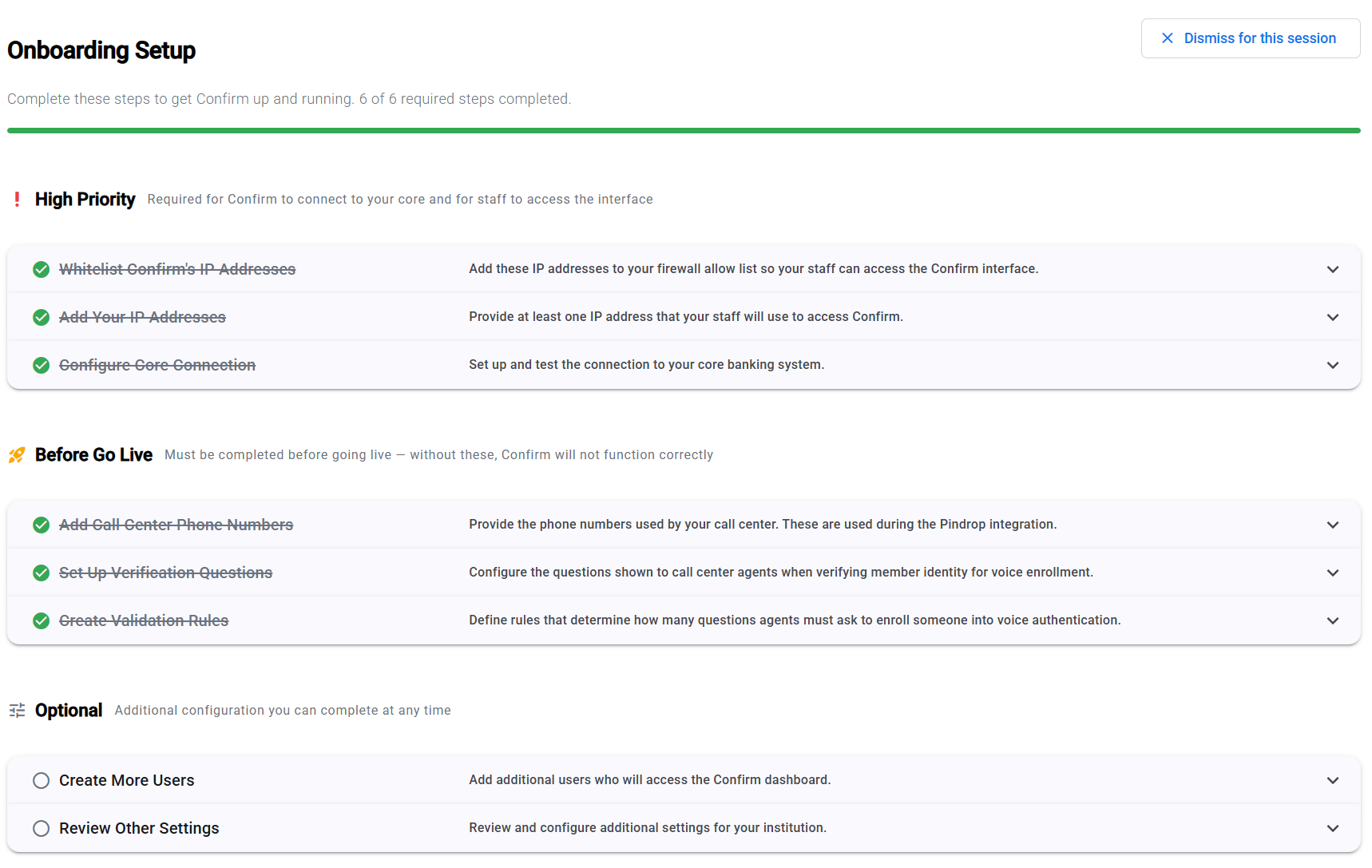
Onboarding Wizard — A step-by-step setup guide now appears when you first log in. It walks you through getting started with Confirm, organized by priority so you know exactly what to do first. You can dismiss it for the current session, and it will appear again until all steps are complete.
Improvements
-
Improved
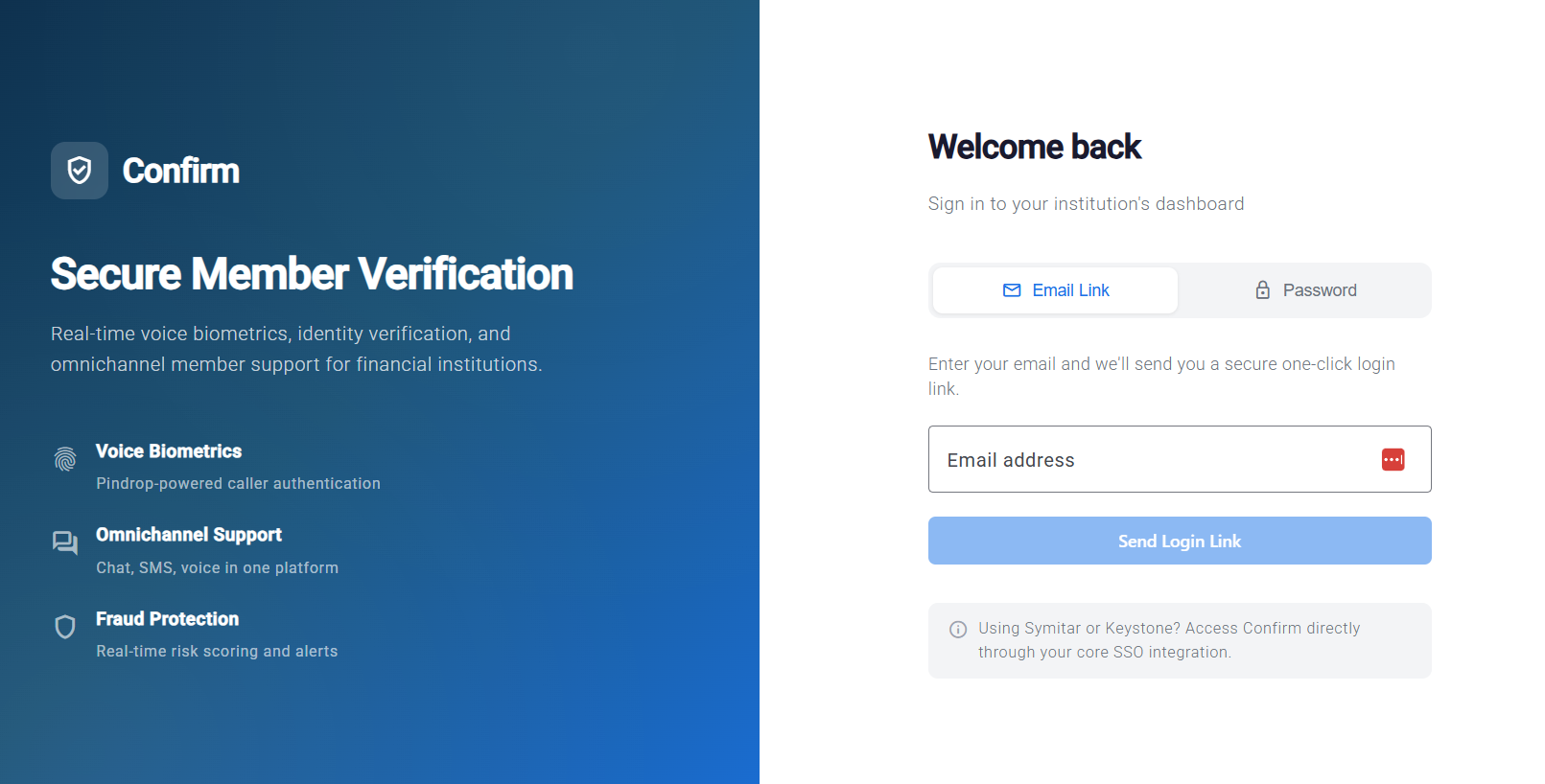
Fresh, Modern Look — The entire dashboard has been redesigned with a clean, modern aesthetic featuring updated colors, typography, and spacing. The login page, navigation, settings, reports, and data tables all have a polished new look that's easier on the eyes and simpler to navigate.
-
Improved
Institution Channel Management — Administrators can now enable and configure contact center channels (voice, chat, SMS) directly from the institution detail page in the admin portal, with per-institution settings for AI features and chatbot behavior.
-
Improved
Simplified Network Setup — Institutions that whitelist Confirm's IP addresses no longer need to go through VPN configuration, making initial setup faster and easier.
-
Improved
Dynamic Terminology — The platform now automatically adjusts its language based on your institution type. Credit unions see "member" throughout, while banks see "customer" — no configuration needed.
-
Improved
SSO Bridge for Contact Center — Financial institutions already using Confirm can now seamlessly access the contact center interface through their existing login, without needing separate credentials.
Bug Fixes
-
Fixed
Fixed an issue where contact center API requests were being sent for institutions that don't use the contact center feature, which could cause unnecessary errors in logs.
-
Fixed
Fixed an issue where simultaneous incoming calls could occasionally cause a processing delay. Call verification now handles high-volume periods more reliably.
-
Fixed
Improved the reliability of connections to core banking systems, ensuring status checks only run for active institutions.
-
Fixed
Resolved supervisor dashboard time zone issues so metrics now display correctly regardless of your local time zone.