New Features
-
New
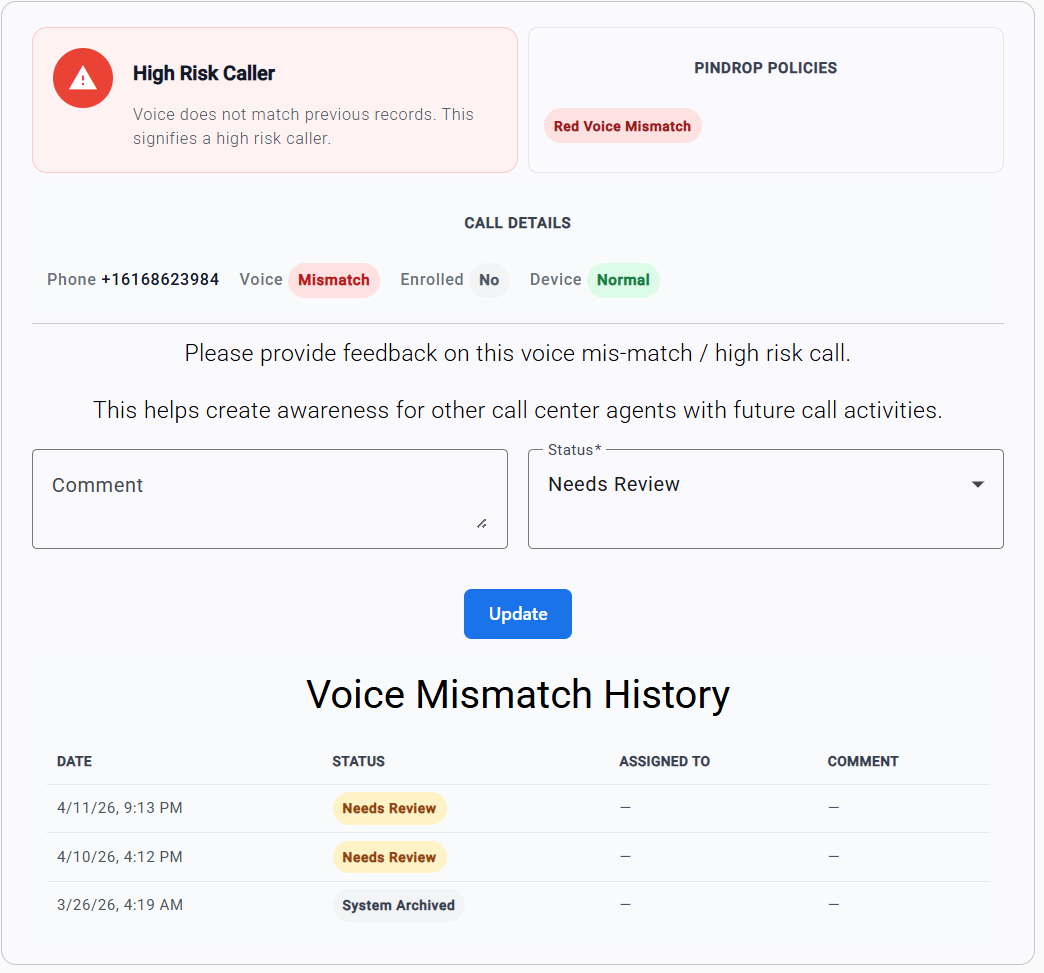
Voice Mismatch History — When a member's voice does not match during verification, the agent now sees a table of previous mismatch feedback for that same member. This gives agents immediate context on whether a mismatch has been flagged before as fraud or a false positive, so they can make faster, more confident decisions.
-
New
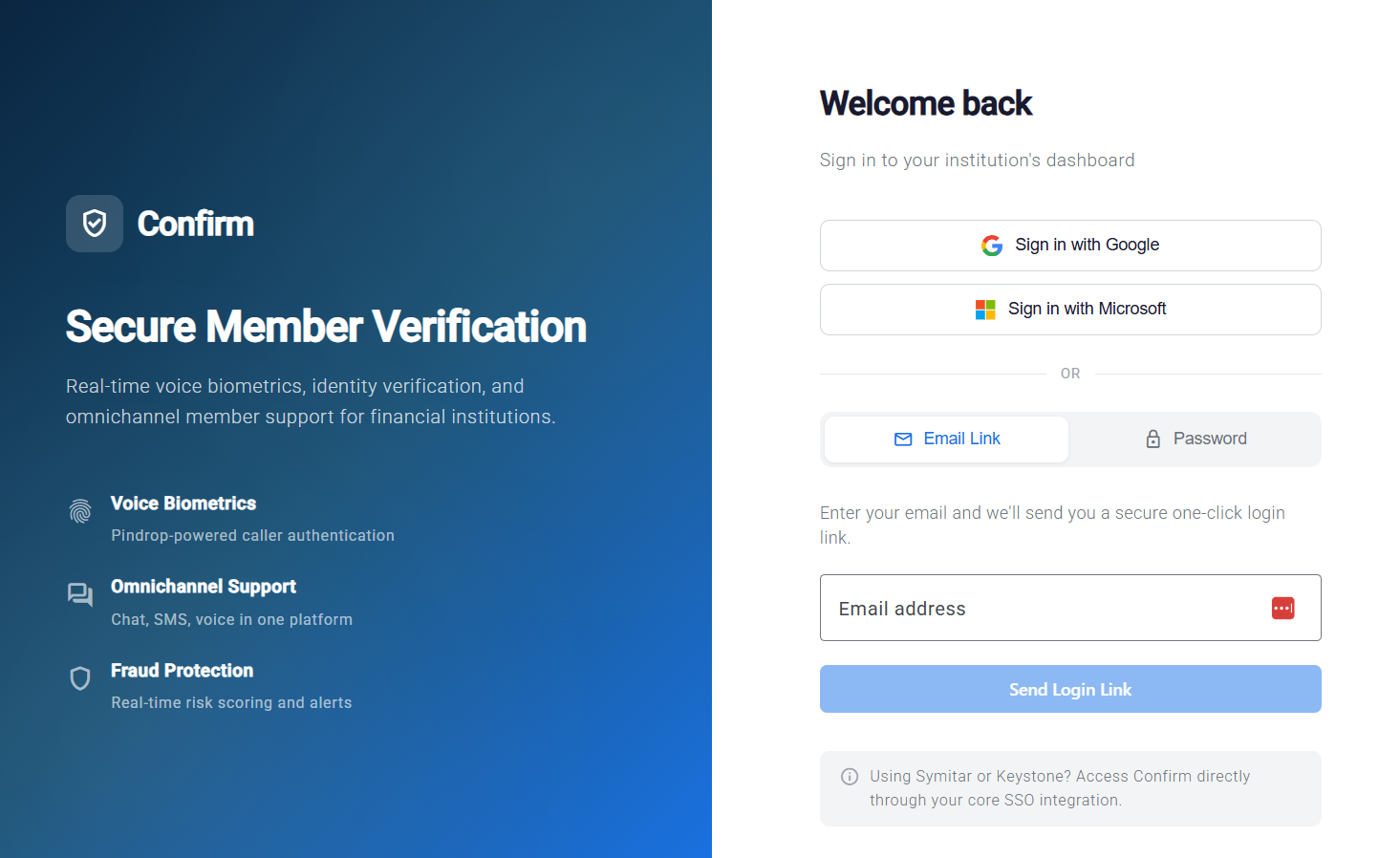
Sign in with Google — Users can now sign in to the Confirm portal with their Google account. Institutions can restrict which Google domains are allowed, so only approved staff email domains can authenticate.
-
New
Sign in with Microsoft — Users can now sign in to the Confirm portal with their Microsoft / Entra ID account. Like Google SSO, you can restrict this to approved Microsoft tenants and email domains for your institution.
Improvements
-
Improved
User Menu in the Top Bar — A new user menu in the top-right corner shows the signed-in user and provides a one-click sign-out from any page, no longer hidden under the sidebar.
-
Improved
Auto-Open Verification Panel — When a voice biometric check returns a non-green result (yellow or red), the verification panel now opens automatically so agents can immediately start additional identity checks without an extra click.
-
Improved
Wider Interaction Workspace — When no call is active, the member context panel now uses more of the screen so agents can browse member information comfortably while waiting for their next interaction.
-
Improved
Scrollable Member Lookup — The member lookup list now scrolls properly when many results are returned, so agents can always see every matching member instead of being cut off at the viewport edge.
-
Improved
Automatic Queue Assignment — New institution users are now automatically added to your General queue and default to an "offline" state, so they can take their first chat or call as soon as they sign in and mark themselves available — no admin setup required.
-
Improved
Deep-Link Login Methods — Login URLs now support a method query parameter (for example,
?method=google), making it easy to embed direct single sign-on links in internal portals or bookmarks.
Bug Fixes
-
Fixed
Queue wait timers now update live every second instead of appearing frozen until the next page refresh.
-
Fixed
Chatbot sessions now resume cleanly when a member refreshes their browser mid-conversation, instead of being marked as ended.
-
Fixed
Bot-handled chats no longer inflate agent wait-time metrics — only time an interaction actually spent waiting for a human agent is counted.
-
Fixed
Voice mismatch history now stays visible after an agent completes manual verification, so the record of the interaction remains in view for reference.
-
Fixed
The user menu now displays the correct signed-in user's name after switching accounts or impersonating a user.
-
Fixed
Agents can once again change their own availability (online, away, offline) without needing admin-level permissions.
-
Fixed
Query parameters on single sign-on links are now preserved all the way through to the destination page, so deep-link flows keep their context.
-
Fixed
Impersonation users (such as super admins viewing an institution) can now see all queued interactions, not just their own.