New Features
-
New
Payments Module — Confirm now lets your members pay on their loans directly through the platform. Agents can take a payment during a verified call, and members can pay themselves on a public page sent via SMS. Payments flow through Confirm into your institution's existing settlement account, with the loan record updated in your core automatically.
-
New
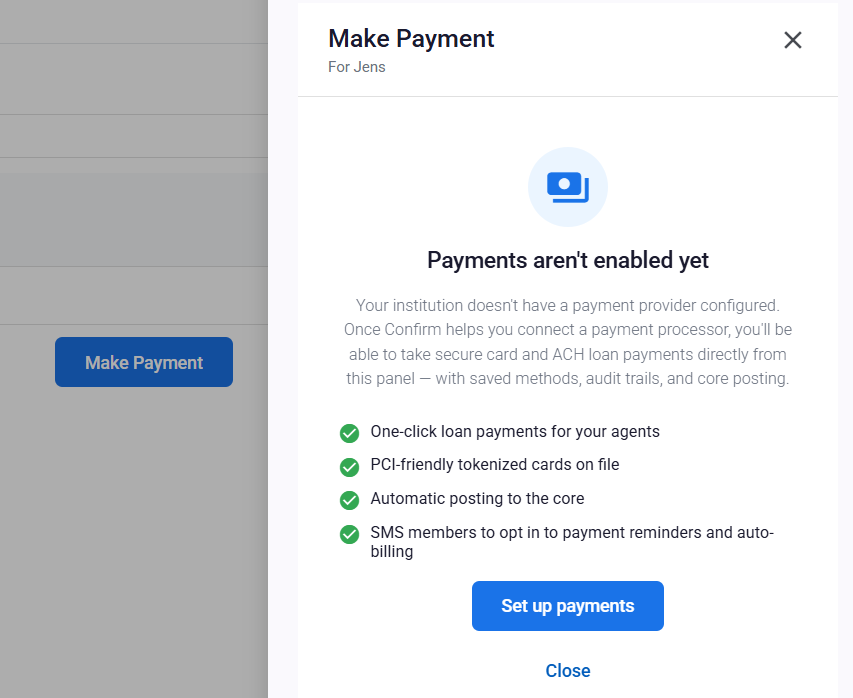
Make Payment Side Panel — During a verified call, agents can open a Make Payment panel from the Payments tab in the validation interface. The panel pulls the member's loans from your core, lets the agent pick a loan and amount, and either uses a saved payment method or accepts a new card. Convenience fees are shown up front before the member confirms.
-
New
Saved Payment Methods — Members can choose to save their card for future payments. Only a vault token and display details (card brand, last four, expiration) are stored — no card numbers ever live in Confirm — and members can revoke a saved method at any time.
-
New
Public Payment Landing Page — After a payment, members receive a short link they can use any time to pay on their loan without needing to call in. The landing page identifies the loan from a one-time token, shows the institution's branding, and walks them through the payment.
-
New
Payment Reminders & Auto-Billing Opt-In — Members can opt in via SMS to receive recurring payment reminders or to enroll in auto-billing against a saved payment method. They can opt out by replying STOP at any time.
-
New
Post-Payment SMS Confirmation — When a payment completes, the member receives an SMS confirming the amount, summarizing their next due date, and including the short link to pay next time.
-
New
Payments Admin Reporting — A new Payments section under Administration with detailed reporting on individual payments and daily settlement batches. Filter by date, status, agent, or member; drill into a payment to see its full audit trail; and export to CSV for reconciliation.
-
New
Settlement Account Self-Service — Institution admins can add and manage the bank account where daily settlement deposits land. The configuration step doubles as the registration handshake with the payment gateway — once it's complete and Confirm has approved your activation, payments turn on automatically.
-
New
Payments Activation Wizard — Before going live, institutions are walked through reviewing the Payments terms, the fee schedule, and the required KYB information. Payments are only enabled after both you and Confirm complete this review, so there are no surprises on day one.
-
New
Combined Convenience Fee Line — Members and agents see a single, transparent "Convenience fee" line during checkout, with the fee structure visible up front before any payment is confirmed.
Improvements
-
Improved
Clearer Core Error Messages — When your banking core rejects a request (for example, a restricted account or a member that can't be found), the agent now sees the actual message from the core instead of a generic error. This makes it much faster to understand what's happening and what to tell the member.
-
Improved
Faster Voice & Fraud Screening — Calls now resolve their voice, device, and risk scores faster. Behind the scenes, those scores are stored in a more efficient format, which keeps the agent's screen responsive even on busy days.
-
Improved
Refreshed Dashboard Foundation — The customer dashboard has been upgraded to the latest Angular version. Most of this is invisible: faster page loads, a more secure stack, and the removal of all outstanding high-severity dependency advisories.
Bug Fixes
-
Fixed
Voice mismatch history now scrolls correctly when opened in the validation interface on smaller screens.