New Features
-
New
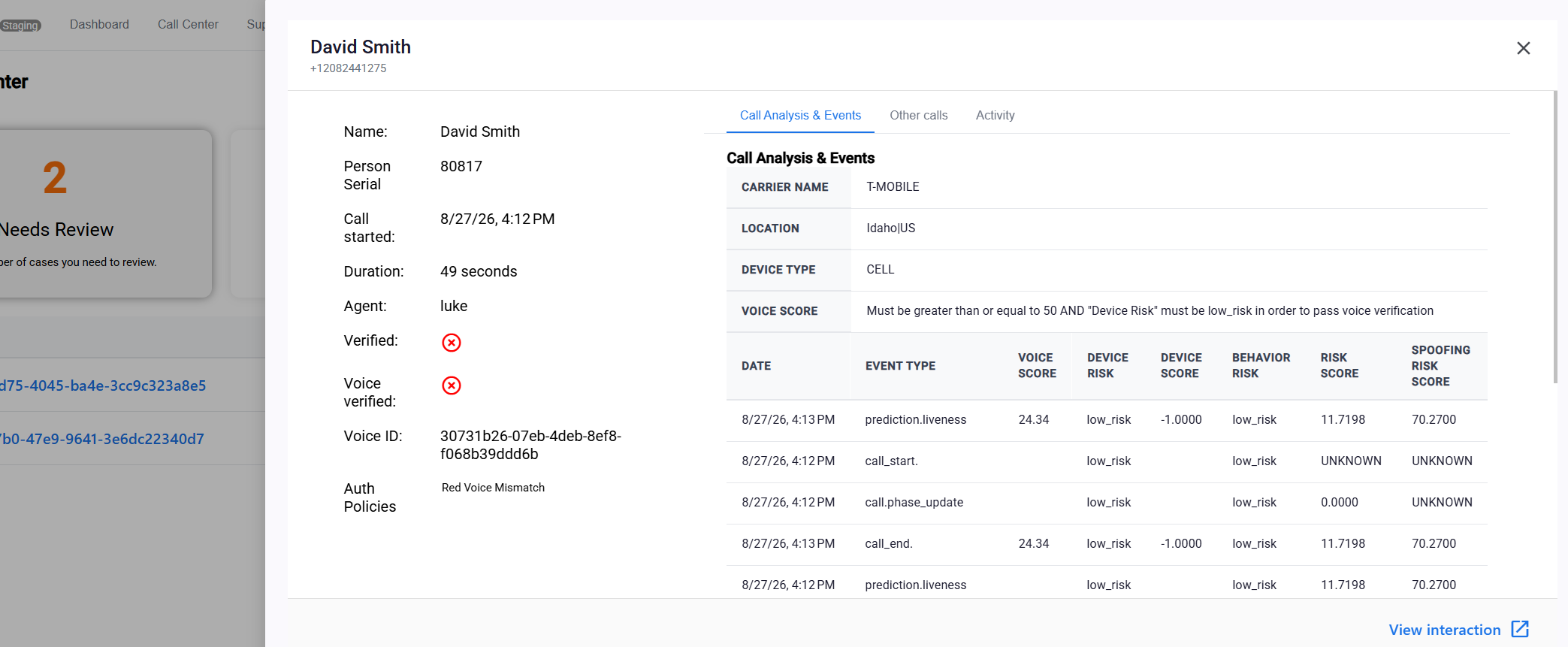
Call and member details now open in a side panel — In the Research Center, opening a record used to pop up a centered window that covered what you were looking at. Those details now slide in from the right-hand side of the screen in a taller, wider panel, with the list you were working through still visible behind it. There is more room for the call analysis and events table, and the Activity and Other calls tabs now use the height of the panel rather than a small scroll window — roughly four times as many rows visible at once. Closing the panel puts you straight back where you were.
Improvements
-
Improved
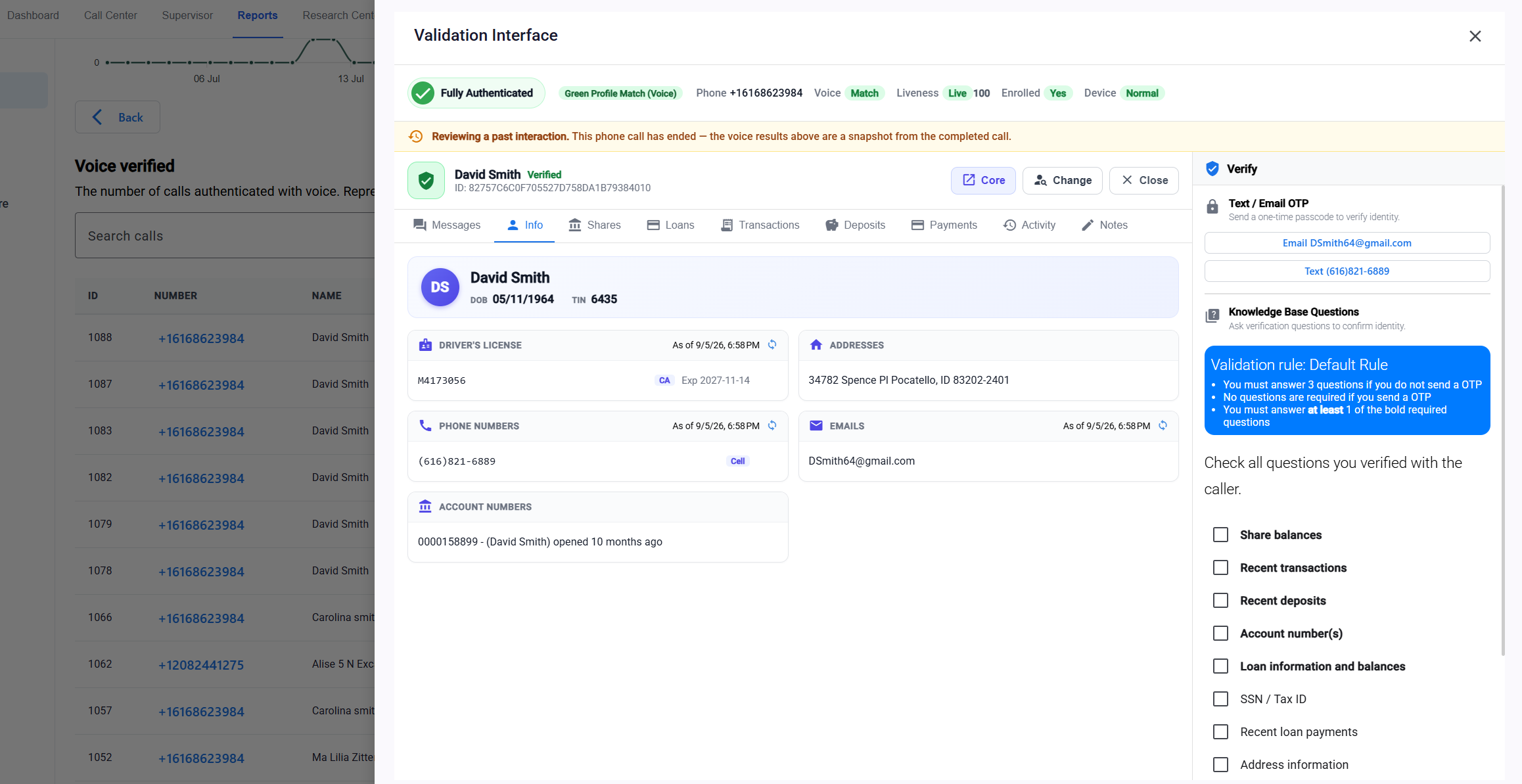
Review an interaction without leaving your search results — The button that opens a past interaction used to launch a new browser tab and leave you to find your way back. It now opens inside the same side panel, so you can look the interaction over, close the panel, and find your search results exactly as you left them. The button has also been renamed from View in validation interface to the plainer View interaction.
-
Improved
More room on screen while you are on a call — The queue list on the left of the Agent Console is now tucked away while you are viewing a phone interaction — a live call or a past one you are reviewing. Nothing in it is actionable while you are on a call, and hiding it gives the member details, voice results, and verification panels the full width of the screen. It reappears the moment you close the interaction.
Bug Fixes
-
Fixed
Activity entries for identity verification steps now show the correct time. A handful of these entries were being displayed in the wrong time zone, which could place them at the wrong hour — and, for events near midnight, under the wrong day heading in the activity history.